Smart Choices for Dummy Cameras

Picking the Right Dummy Security Cameras
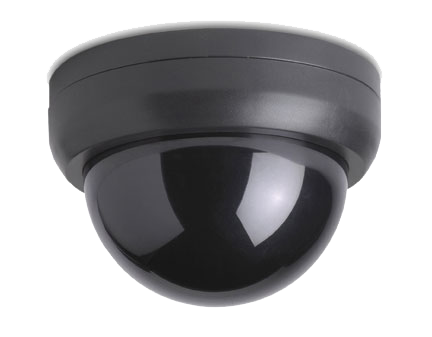
Dummy Security Cameras are a great idea for when your security budget doesn't allow for a full CCTV Security Camera System, but dummy security cameras do no good when everyone can tell that they are fake. That is why its smart to choose the right dummy security camera when you decide to take this route.
Fake Security Camera
For a rule of thumb, If you can tell it's fake, then an intruder will be able to tell it's fake. Take for instance the sample camera to the left. If you haven't already realized, it is quite obviously fake. There are several ways to tell if a security camera is fake. The first thing to point out is the housing, it is made of cheap plastic. The second and most obvious is the red light on the front of the camera. What is that thing supposed to do anyway? It might be popular in movies, but real security cameras don't have a red light. Its a dead giveaway that the camera is a fake, it wouldn't be any easier to spot if the word FAKE was written all over it. Some dummy cameras are even motion-activated which is silly, an intruder could easily test to see if the camera moves randomly or if it's motion activated. It may fool a child, but it wont fool an experienced thief. Its not that hard to tell, you've seen those dreaded motion-sensing Halloween decorations that pop out and annoy everyone. Believe it or not, the red light and motion sensing are actually selling points for these dummy cameras.

There are several other things to keep in mind when choosing a dummy camera. When not using a dummy dome camera its important to remember that about 99% of all security cameras have 2 cables. One is for video and the other is for power. Some models only have 1 cable and it looks to be running nowhere because they only have a few inches of cable that don't allow for properly hiding of the cable inside a wall or ceiling. Also real security cameras don't have company logos or printing on them like the sample dummy camera on the right that has a "HubbCam" logo on the side and is also written on the lens. Make sure that your lens has some sort of print on it. The white lettering makes the lens look authentic, even if its not. The white lettering appears on most lenses, like the real lens on the left from our tech-army estore. Something as simple as "8mm" is all it takes, avoid things like the "HubbCam" written on the lens. These are all things to take into consideration when picking out your dummy security camera.


To recap, here is a checklist of things to have for your dummy camera:
1. No Cheap Plastic Housing
2. No Red Light - disable it if you must
3. No Motion Sensing
4. Use 2 Cables in the back
5. Make sure that the cables look they could actually be going somewhere.
6. No "HubbCam" type logos
7. White Lettering on the Lens

Interested in efficient dummy cameras? Check out our Tech-Army estore for Dummy Dome Cameras


Top CCTV / Security Camera Cities

Rentacomputer.com provides audio visual services and computer equipment rentals to over 1000 cities and convention centers worldwide.

Atlanta
Austin
Baltimore
Boston
Charlotte
Chicago
Cincinnati
Cleveland
Columbus
Dallas
Denver
Detroit
Houston
Indianapolis
Jacksonville
Kansas City
Las Vegas
Long Beach
Los Angeles
Memphis
Miami
Milwaukee
Minneapolis
Nashville
New Orleans
New York
Oakland
Orlando
Philadelphia
Phoenix
Pittsburgh
Portland
Raleigh
Richmond
Sacramento
Salt Lake City
San Antonio
San Diego
San Francisco
San Jose
Seattle
St. Louis
Tampa
Tucson
Tulsa
Washington DC
  Call Toll Free 1-877-422-1907 or start a conversation via email  


CCTV Experts - Join the Tech Army

Other computer based technology and service websites and blogs.

Security Camera Blog - Bullet Cameras Blog  -  Camera Surveillance News

Computer Rental - Laptop Rental - File Server Rental - Projector Rental - Computer Rental News - Laptop Rental News
 Computer Service - Computer Service News - Projector Rental News - SMB News

Website Design © Xponex Web and Media Services - Terms and Conditions